
Join the SAP SuccessFactors AI User Group
AI is transforming HR faster than ever and staying connected to the conversation matters. The new SAP SuccessFactors AI User Group is a global, customer-only space designed to help HR

Are you need IT Support Engineer? Free Consultant
AI is transforming HR faster than ever and staying connected to the conversation matters. The new SAP SuccessFactors AI User Group is a global, customer-only space designed to help HR

Keeping your SAP Commerce Cloud environment current is a strategic decision, not only a maintenance routine. Many customers still find themselves uncertain about when to update, how the framework update affects their systems, or where to

France's e-invoicing reform mandates that all B2B domestic invoices be exchanged through approved platforms (Plateforme Agréée, PA) and with the Public Invoicing Portal (Portail Public de Facturation, PPF). As part

First of all, it needs to be made clear that as long as the users can see the Post button in create supplier invoices App, then users can see the

Last year, as described in the blog From idea to app: using AI-powered Project Accelerator to develop SAP Fiori apps, the Project Accelerator focused on generating CAP-based projects, Developing

Introduction This post is part of the Joule Capability Development Blog Series. The first post covers setting up your development environment and building your first capability. This post builds on

Background In a previous blog post, one scenario of auto-populating the External Actual Transfer of Control Date was discussed. Today we continue with another variation — this time in the context
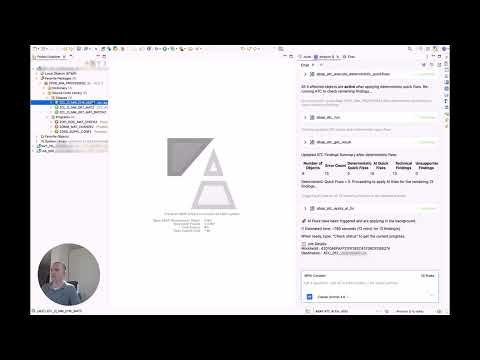
What you learned on Sapphire 2026 is that in general SAP is evolving from standalone AI tools to an orchestration layer that automates multi-step workflows for business user and developers.The

概要 SAP CPQ のデフォルトの Quote List には、Involved Parties で設定した Sold-To Party (受注先) の Business Partner 名が列として表示されません。 本記事では、Quote カスタムフィールドと Global Script を組み合わせることで、この情報を Quote List 上に表示する手順を解説します。 対象バージョン: SAP CPQ Quote 2.0 エンジン (CPQ

Download the Apache Tomcat Transfer the downloaded Tomcat to Linux Server. You can transfer the Tomcat to Linux Server using Winscp or any other file transfer tool. Extracting the file