The scenario
You have an inspection lot for which a usage decision was recorded, and a stock posting was performed as part of (or following) that decision — for example, moving the inspected quantity out of quality inspection stock. Later, you realize the decision or the posting was wrong and needs to be corrected.
At this point you are dealing with two distinct things that many users assume are one:
- The usage decision — the status of the inspection lot / usage decision
- The stock posting — the material document that physically moved the stock between stock types.
Regarding these two activities, S/4HANA Cloud Public Edition system supports below two separate correction steps.
Reset (Cancel) a Usage Decision
SAP S/4HANA Cloud Public Edition supports resetting the usage decision status of the inspection lot. So the inspection lot can be processed again, and this is the first correction step whenever a UD was recorded incorrectly.
You reset usage decisions by choosing Reset Usage Decision in Management Usage Decisions app:

Before the Reset Usage Decision button becomes available, the business catalog SAP_QM_BC_USAGE_DCSN_EXTD_PC must be assigned to the user, and the Reset UD checkbox must be enabled for the relevant inspection type at plant level via configuration Maintain Settings at Plant Level (SSCUI 102456).

After the resetting, the inspection lot system status changes from UD to UDRE. The Usage Decision Code and Quality Score are initialized (Cleared)


However, resetting the usage decision does not reverse the stock posting document. The quantities that were already moved out of quality inspection stock stay where they were posted. The status change and the physical inventory movement are decoupled.
Then you need to perform another correction step – Post stock back to quality inspection stock.
Post the stock back with movement type 322
To bring the stock back into quality inspection stock, follow SAP Notes: 2695182 – Reversal of goods movements after usage decision. The note describes using movement type 322 — the movement that transfers stock from unrestricted-use back into quality inspection stock — to correct the inventory situation.
Please note that activating inspection type “Stock Transfer” (08) in the product master is a prerequisite per the SAP Notes. However, this may also trigger inspection lot creation for other goods movement types. Before enabling this function, business users should review the impact with the implementation consultant and determine whether it should be restricted to movement type 322 only. If required, refer to the BAdI guidance in the SAP Notes to prevent inspection lot creation for other movement types with origin 08.
A key point needs to be aware of is that the original inspection lot (which had status UDRE after the Usage Decision reset) remains separate, and the newly transferred stock will be managed under a new inspection lot number for any subsequent quality inspection activities.


At a high level, the correction sequence is:
- Reset the usage decision status for the affected inspection lot.
- Post the stock using movement type 322 to move the affected quantity from unrestricted-use stock back into quality inspection stock.
- Verify that the stock is now back in quality inspection and re-take the usage decision correctly.
Known Limitation
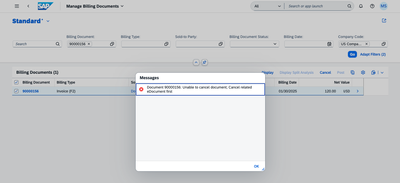
S/4HANA Cloud Public Edition does not offer a function to directly cancel/reverse the material document generated by the usage decision stock posting for inspection lot. There is no one-click “reverse UD posting” action that hands you back the original quality inspection stock. But the result of above two correction steps is functionally equivalent to a reversal: the inventory is restored to quality inspection stock. It is important to understand, though, that this is a compensating movement, not a cancellation of the original document — the original stock posting document remains in the material document history, and the 322 movement is recorded as an additional document.
We noticed that several product enhancement requests similar to the requirement had been raised previously, and the product managers provided the resolution described above. If your business identifies any additional specific gaps that need to be addressed, you are encouraged to submit a new request through the Customer Influence in Continuous Influence Session for SAP S/4HANA Cloud Public Edition, Manufacturing.
- CIP #319469 — Inspection Lot Reversal
- CIP #322290 — Program RQEVAC50 for Revoke Inspection Stock Posting
- CIP #314873 — Reversal for GRN Post Usage Decision of Relevant Inspection Lot
Source link